




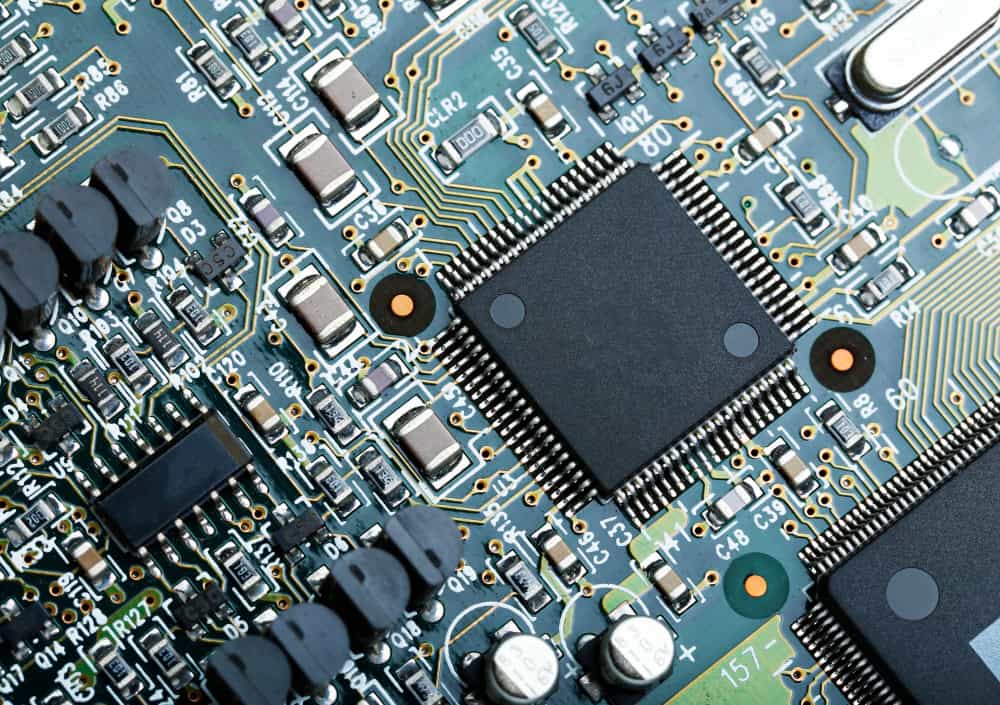
Printed Circuit Boards (PCBs) are the lifelines of modern electronics, from smartphones and computers to medical and aerospace equipment. However, over time, PCBs can accumulate dust, flux residue, and other contaminants, compromising their performance or even leading to failure. Knowing how to clean printed circuit boards safely and effectively is essential for maintaining their longevity and reliability.
Table of Contents
ToggleIn this DIY PCB cleaning guide, we’ll explore the best methods, tools, and materials to clean your PCBs, including how to use isopropyl alcohol, whether ultrasonic PCB cleaning is safe, and tips to remove stubborn residues like flux without damaging the components.
Why Cleaning PCBs Is Important
Cleaning your circuit boards is more than just cosmetic—it’s a matter of function and safety. Accumulated grime can cause:
- Short circuits
- Component overheating
- Signal degradation
- Reduced PCB lifespan
Especially after soldering, cleaning helps remove flux residue from PCB surfaces that may otherwise lead to corrosion or conductivity issues.
When Should You Clean a PCB?
You should clean your PCB:
- After soldering (to remove flux)
- After exposure to dusty or humid environments
- During regular maintenance (especially for industrial or high-use devices)
- When restoring or repairing old electronics
Safe PCB Cleaning Methods: Getting Started
Before jumping into cleaning, it’s crucial to understand the safe PCB cleaning methods and what materials are suitable for electronics.
What You’ll Need
- Isopropyl alcohol (IPA) 90% or higher
- Soft-bristle anti-static brush or toothbrush
- Compressed air (optional)
- Cotton swabs
- Lint-free cloth or microfiber wipes
- PCB cleaning solutions (optional for deeper cleans)
- Ultrasonic cleaner (optional for advanced users)
Method 1: Manual PCB Cleaning Techniques with Isopropyl Alcohol
The most widely used and safest method to clean PCBs is using isopropyl alcohol.
Why Use Isopropyl Alcohol for Circuit Board Cleaning?
Isopropyl alcohol is non-conductive, evaporates quickly, and dissolves oils and flux residue effectively. That’s why “clean PCB with isopropyl alcohol” is a recommended technique for both professionals and DIYers.
Step-by-Step Guide:
- Turn Off and Unplug: Ensure all power sources are disconnected.
- Remove Loose Dust: Use compressed air or a soft brush to remove surface-level debris.
- Apply IPA: Dampen a cotton swab or brush with isopropyl alcohol (at least 90%).
- Scrub Gently: Use light pressure to clean the surface. Be careful not to dislodge any components.
- Dry the PCB: Let it air-dry for at least 30 minutes or use a fan. Avoid using heat.
💡 Pro Tip: For sticky residues or hard-to-reach spots, you can let the board soak briefly in isopropyl alcohol for 2–3 minutes before scrubbing.
Method 2: Ultrasonic PCB Cleaning – For Professional Use
When dealing with intricate or multilayered boards, ultrasonic PCB cleaning can be highly effective. It uses high-frequency sound waves to create microscopic bubbles that clean all areas of the PCB, including under components.
Benefits:
- Reaches complex spaces
- Gentle on components when done correctly
- Excellent for removing flux and oxidation
Caution:
While ultrasonic cleaning is effective, it’s not suitable for all PCBs. Some delicate components like MEMS sensors, quartz crystals, and micro-relays may be damaged.
Is ultrasonic cleaning too harsh for PCBs?
Not always. Use low-frequency settings and avoid long exposure. Always follow manufacturer guidelines for sensitive electronics.
Method 3: Using Commercial PCB Cleaning Solutions
There are specialized PCB cleaning solutions available that are designed to dissolve solder flux, grease, and other contaminants without harming the components.
These solutions are generally non-conductive, biodegradable, and safe for plastic and metal parts.
Recommended For:
- Industrial PCB maintenance
- Cleaning after mass soldering
- Deep cleaning without using ultrasonic methods
Make sure to select products that are RoHS-compliant and electronics-safe.
Method 4: Cleaning Dust from PCB – A Quick Maintenance Guide
Dust is a silent killer for electronics, especially in high-humidity or industrial environments.
How to Remove Dust Safely:
- Use compressed air: Hold the can upright and spray short bursts.
- Use a soft anti-static brush: Gently sweep dust from the surface.
- Avoid using vacuum cleaners directly on the board, as they can generate static.
Can I use water to clean my circuit boards?
It’s not recommended unless it’s deionized water. Tap water can leave mineral deposits and potentially short the board.
How to Remove Flux Residue from PCB
Soldering often leaves behind flux residue, which can cause corrosion or conductivity if not removed.
Methods:
- Isopropyl Alcohol: Dampen a brush and scrub affected areas.
- Commercial Flux Removers: Spray and wipe off with a lint-free cloth.
- Ultrasonic Cleaning: Effective for thorough flux removal.
Do I always need to remove flux residue from my PCB?
Yes, especially for no-clean and water-soluble flux types. Even “no-clean” flux can cause issues over time in humid conditions.
Best Way to Clean Electronic Circuit Board: Expert Tips
- Always choose high-purity IPA (90% or higher) to prevent moisture.
- Never use acetone or household cleaners like window sprays.
- Use anti-static tools to prevent ESD damage.
- Let the board dry completely—at least 30 minutes or longer depending on humidity.
How long should I let a cleaned PCB dry?
Allow at least 30 minutes to air-dry. For better results, place the PCB near a fan or in a dry cabinet for 1–2 hours.
DIY PCB Cleaning Guide: At-Home Approach
If you’re handling home electronics, this DIY PCB cleaning guide is safe and effective:
- Unplug and remove the PCB from the casing.
- Remove dust using compressed air.
- Apply isopropyl alcohol to a cotton swab or brush.
- Scrub gently, focusing on connectors and solder points.
- Allow to dry completely before reinstalling.
This method works well for:
- Computer motherboards
- GPU/CPU fans and heatsinks
- Audio equipment
- Game consoles
Manual PCB Cleaning Techniques vs. Advanced Methods
| Method | Suitable For | Tools Needed | Skill Level |
| Isopropyl Alcohol Cleaning | General PCB maintenance | IPA, brush, cotton swabs | Beginner |
| Ultrasonic Cleaning | Complex PCBs with tight gaps | Ultrasonic cleaner, PCB holder | Intermediate |
| Commercial Solutions | Flux-heavy or industrial PCBs | PCB cleaning spray, lint-free wipes | Intermediate |
| Dust Removal | Regular maintenance | Compressed air, anti-static brush | Beginner |
PCB Maintenance and Cleaning Tips
- Perform visual inspections monthly.
- Clean more often if the board is in an industrial or humid environment.
- Store PCBs in anti-static bags when not in use.
- Avoid touching the board with bare hands—use gloves or hold by the edges.
- Label PCBs post-cleaning with dates for maintenance tracking.
Frequently Asked Questions
What is the safe solvent to clean PCBs?
The safest and most commonly used solvent is isopropyl alcohol (90% or higher). It’s non-conductive, fast-drying, and dissolves contaminants effectively.
Can I use water to clean my circuit boards?
Deionized water can be used with caution, but tap water is not recommended due to the risk of mineral deposits and short circuits.
Is ultrasonic cleaning too harsh for PCBs?
Not always. When used correctly, ultrasonic cleaning is safe and highly effective. Avoid long exposures and always check component compatibility.
How long should I let a cleaned PCB dry?
Let the PCB air-dry for at least 30 minutes. For thorough drying, use a fan or place it in a warm, dry environment for 1–2 hours.
Do I always need to remove flux residue from my PCB?
Yes, especially if you want long-term stability and performance. Flux can absorb moisture and become conductive over time.
Final Thoughts
Cleaning a PCB doesn’t have to be risky or complicated. By using the right tools like isopropyl alcohol, commercial PCB cleaning solutions, or even ultrasonic PCB cleaning, you can maintain your electronics in top shape. Whether you’re a DIY hobbyist or an electronics engineer, knowing how to clean printed circuit boards is essential for optimal performance and longevity.
Looking for high-quality PCB manufacturing or assembly services? Visit MKTPCB for reliable solutions built on precision and expertise.


