


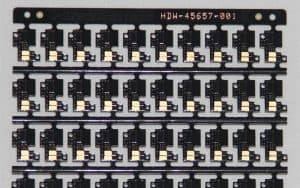


Double-sided prototype PCBs are essential in modern electronics where space, complexity, and functionality go hand in hand. Whether you’re an electronics hobbyist, a professional engineer, or a startup innovator, learning how to use double-sided prototype PCBs efficiently can streamline your development process and result in more compact, cost-effective, and robust products.
Table of Contents
ToggleIn this in-depth guide, we’ll explore everything from double-sided PCB prototyping to layout tips, via stitching, soldering, and more, using industry best practices and pro-level insights. Let’s dive in.
What Is a Double-Sided Prototype PCB?
A double-sided PCB (also known as double-layer PCB) has copper conductive layers on both the top and bottom sides of the board. This design allows components and traces on both sides, enabling more complex circuits in a relatively compact size.
In prototyping, double-sided prototype PCBs are invaluable. They enable the design and testing of circuit boards that closely resemble the final production version — making them ideal for validation, debugging, and small batch runs.
Benefits of Using Double-Sided Prototype PCBs
Before discussing how to use double-sided prototype PCBs efficiently, it’s vital to understand the advantages they offer:
- Higher circuit density: More components and interconnections without increasing board size.
- Compact design: Ideal for IoT, wearable tech, and consumer electronics.
- Cost-effective prototyping: Better representation of the production design without high costs.
- Flexible layout options: Helps with advanced signal routing and grounding strategies.
Step-by-Step Guide: How to Use Double-Sided Prototype PCB Efficiently
1. Start with Reliable PCB Design Software
Choose professional software for double-sided PCB design such as:
- Altium Designer
- KiCad
- EAGLE
- OrCAD
- EasyEDA
These tools support complex double-layer PCB tutorials with capabilities like component placement on both sides, via configuration, and Gerber file generation.
Pro Tip: Always double-check that your selected software can handle via stitching and mirror component placement accurately for prototyping needs.
- Create an Optimized Schematic and Netlist
Before diving into PCB layout:
- Organize your circuit schematic clearly.
- Assign components logically to minimize crossover.
- Export a clean netlist to reduce routing errors in layout.
This step saves you hours of troubleshooting during double-sided prototype PCB assembly.
- Effective Component Placement Strategies
Component placement is critical to success in building a two-layer PCB prototype.
Key Tips:
- Place sensitive analog components on one side and noisy digital components on the other.
- Group components by function for easier debugging.
- Use silkscreen markings to indicate top and bottom side components clearly.
- Prioritize heat-generating components for top-side placement for better heat dissipation.
- Follow Best Layout Practices for Double-Sided PCBs
Designing a layout for a double-layer board isn’t just about making everything fit. You need to follow best practices for double-sided PCBs:
- Use horizontal routing on one layer and vertical on the other.
- Avoid overlapping signal traces between layers.
- Maintain short and direct paths for high-speed or power signals.
- Utilize ground planes effectively to reduce EMI.
- Keep clearances according to your manufacturer’s specifications.
- Implement Via Stitching for Power and Ground Planes
Via stitching is a technique of connecting large copper areas (like ground planes) using multiple vias. It improves electrical performance and helps with EMI shielding.
Why Use Double-Sided PCB Via Stitching?
- Enhances thermal conductivity
- Reduces ground loop resistance
- Improves signal integrity
- Adds mechanical strength
Make sure you add enough vias in parallel for power lines and near high-speed traces.
- Prepare for Prototyping and Assembly
Double-sided prototype PCB assembly can be done in-house or through PCB assembly services. For in-house assembly, follow these steps:
Materials You’ll Need:
- Soldering iron or hot air gun
- Tweezers
- Solder paste
- Flux
- Stencil (optional)
- SMD components
- Through-hole components
Soldering Tips for Double Layer PCBs:
- Start soldering bottom-side components first, especially if using hot air reflow.
- Use low-temperature solder to avoid damaging previously soldered parts.
- Always double-check polarity and orientation on both sides.
Common Mistakes to Avoid
1. Ignoring Thermal Reliefs
If you’re hand-soldering and don’t use thermal reliefs, soldering can become very difficult, especially on ground planes.
2. Unclear Silkscreen Labels
Use distinct silkscreen indicators for top and bottom components to avoid confusion during assembly.
3. Incorrect Via Placement
Ensure vias don’t interfere with component pads or mounting holes. Misaligned vias can result in faulty connections.
4. No Test Points
Add test points on both layers for easier debugging during the prototyping phase.
When Should You Choose a Double-Sided PCB?
Opt for double-sided PCBs in scenarios like:
- Circuits requiring medium complexity
- When space constraints limit single-layer designs
- Applications needing ground planes and power distribution
- Need for better signal routing and performance
Best Use Cases for Double-Sided Prototype PCBs
- IoT Devices
- Wearables
- Power supply units
- RF modules
- LED lighting systems
- Robotics
Recommended Tools and Materials
| Task | Recommended Tool |
| PCB Design | Altium, KiCad, EAGLE |
| Gerber File Generation | Online Gerber viewers, EasyEDA |
| Soldering | Weller Soldering Station, Flux pens |
| Drilling Vias | Mini PCB drill, Dremel Tool |
| PCB Prototyping Service | MKTPCB Multilayer PCBs |
Frequently Asked Questions (FAQs)
1. What is the difference between double-sided and single-sided PCB prototyping?
Single-sided PCBs have copper tracks on only one side, suitable for simple circuits. Double-sided PCBs offer more routing space with copper on both sides, allowing complex, compact, and performance-oriented designs.
- Which CAD tools support double-layer PCB layout best?
Some of the best tools include Altium Designer, KiCad, Autodesk EAGLE, and OrCAD. These tools provide layer management, DRC checking, and 3D previews.
- How do I drill and align vias on a double-sided prototype PCB?
Use a precision PCB drill or CNC machine for accuracy. Mark drill holes in your design, then align the board carefully using registration pins or templates before drilling.
- What are common mistakes when soldering components on both sides?
- Soldering top side first
- Overheating components
- Skipping flux
- Using too much solder
- Misaligned orientation
- When should I choose a double-sided PCB over a single-sided prototype?
When your circuit requires higher component density, reduced form factor, or ground/power planes, a double-sided PCB is the go-to choice.
Final Thoughts
Understanding how to use double-sided prototype PCBs efficiently can significantly enhance your prototyping capabilities and product development speed. By applying best layout strategies, thoughtful component placement, optimized via stitching, and soldering techniques, you’ll create more reliable and professional-quality prototypes.
Whether you’re building a two-layer PCB prototype or scaling for production, start your journey with the right tools, processes, and manufacturer.
Need Professional Multilayer PCB Support?
Looking for expert PCB fabrication and assembly support? Visit MKTPCB Multilayer PCBs to get started with high-quality double-sided prototype PCBs tailored to your needs.


